 Arcade Nebula
Arcade Nebula
Arcade Nebula
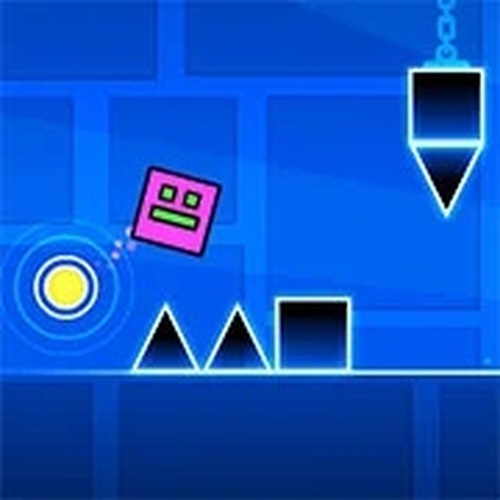
Geometry Dash Lite is a polished rhythm platformer that challenges your timing and reflexes. The music-driven gameplay is engaging, and the practice mode helps you master tricky sections. With multiple characters and customization options, it offers good replay value. While it has fewer levels than the full version, it provides a satisfying experience for both new and returning players.
Geometry Dash Lite is a rhythm-based arcade platformer that challenges players to navigate through a series of levels in sync with an energetic soundtrack. The core objective is to guide a character from start to finish without crashing into obstacles, relying on precise timing and quick reflexes. What makes this game unique is its seamless integration of music and gameplay, where each jump and movement aligns with the beat, creating an immersive and engaging experience. As a lite version, it offers a taste of the full game's mechanics and style, making it accessible for both newcomers and experienced players looking for a rhythmic challenge.
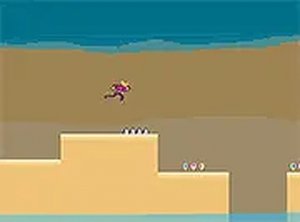
Players control their character by tapping or clicking to perform actions such as jumping, flying, or maneuvering past obstacles. The game presents a series of levels filled with spikes, moving blocks, and other hazards that require careful timing to avoid. Each level is designed to be played in one continuous run, and failure sends the player back to the beginning of that level. A practice mode is available, allowing players to rehearse difficult sections without the pressure of restarting. The controls are simple, but mastering them demands practice and a good sense of rhythm.
Geometry Dash Lite includes a selection of levels, each with its own unique layout and difficulty. The game features multiple characters, each with distinct movement styles such as jumping, flying, and zigzagging. Players can customize their characters with various skins and colors from the menu. The game also tracks player statistics, including the number of jumps and attempts, which helps monitor progress and improvement. The practice mode is a key feature, enabling players to learn tricky parts of a level without starting over.
To succeed in Geometry Dash Lite, focus on learning the rhythm of each level, as the music often cues upcoming obstacles. Use practice mode to memorize difficult sections before attempting a full run. Stay patient and persistent, as repeated attempts are part of the learning process. Pay attention to the timing of your taps, as even a slight delay can lead to a crash. Finally, experiment with different characters to find the one that feels most comfortable for your play style.




Player Comments
Sign in to comment
You must be logged in before posting a review or rating.
No account? Create one
No comments yet. Be the first to comment!