 Arcade Nebula
Arcade Nebula
Arcade Nebula
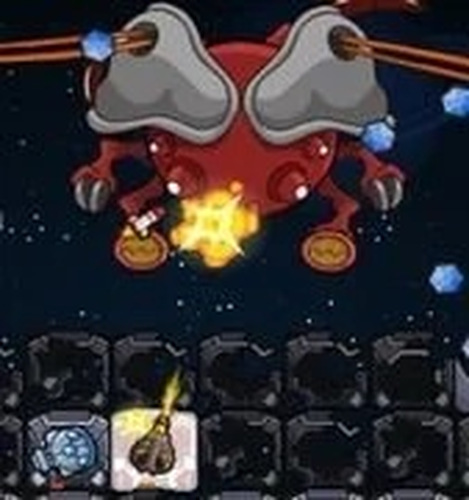
Galaxy Build 2 Space Adventure offers a satisfying blend of building and exploration. The resource-gathering missions are engaging, and upgrading your ship feels rewarding. The controls are intuitive, making it easy for new players to jump in. It is a safe, non-violent game that encourages strategic thinking and creativity.
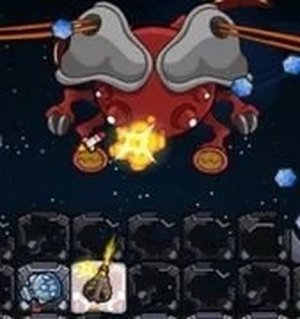
Galaxy Build 2 Space Adventure is an action-packed space game that puts you in the captain's chair. You start by constructing your own spaceship using resources earned through missions. The game offers a vast universe to explore, with each mission presenting new challenges and rewards. Designed for players of all ages, it combines building, upgrading, and exploration in a vibrant, family-friendly setting. The focus is on creativity and strategy, as you decide how to improve your ship's speed, armor, and equipment to tackle increasingly difficult objectives.
To play Galaxy Build 2 Space Adventure, begin by gathering resources from your first missions. Use these to build and customize your spaceship. Then, select a mission from the available list and pilot your ship through space. Navigate using your mouse or touch controls, and complete each objective to earn resources. Spend your earnings on upgrades to enhance your ship's performance. The game is simple to learn but offers depth for those who enjoy planning and improvement.
Key features include: Build and upgrade your spaceship with earned resources. Complete a variety of exciting missions across colorful space environments. Earn resources to improve speed, armor, and equipment. Intuitive mouse and touch controls make it easy for everyone. The game encourages strategic thinking and creativity in a safe, non-violent way.
Galaxy Build 2 Space Adventure is a delightful space adventure that combines building, upgrading, and action. It is perfect for players who love creativity and exploration. The game offers a positive, engaging experience that rewards curiosity and smart decisions.






Player Comments
Sign in to comment
You must be logged in before posting a review or rating.
No account? Create one
No comments yet. Be the first to comment!